
Download LogMeIn Hamachi – Secure P2P VPN Tool
Why LogMeIn Hamachi Still Matters in 2025
In a world where remote work has become the norm, establishing a safe, private channel between two computers is no longer a luxury—it’s a necessity. LogMeIn Hamachi answers that call by turning ordinary internet connections into a virtual private network (VPN) that feels as if the machines were plugged into the same local LAN. The software is built on industry‑standard encryption, ensuring that every packet that travels between peers is shielded from prying eyes. Whether you’re a technical support specialist troubleshooting a client behind a stubborn firewall, a gamer looking for a lag‑free LAN party over the internet, or a developer who needs to test applications on multiple machines without exposing them to the public, Hamachi provides a simple, “one‑click” way to spin up a private network.
What sets Hamachi apart from other VPN solutions is its ease of setup and the fact that it operates on a peer‑to‑peer (P2P) model. You don’t need to rent a dedicated server or configure complex routing tables; you just install the client, create a network, and invite your peers. The result is a fast, encrypted tunnel that respects the constraints of most home and office firewalls. While the tool has earned a reputation for occasional latency spikes—largely a function of the underlying internet connection—its reliability and security make it a go‑to option for many IT professionals.
Below, we dive deep into the core features, installation steps, system compatibility, and real‑world pros and cons of LogMeIn Hamachi, helping you decide whether this free tool fits your workflow.
Comprehensive Overview of LogMeIn Hamachi
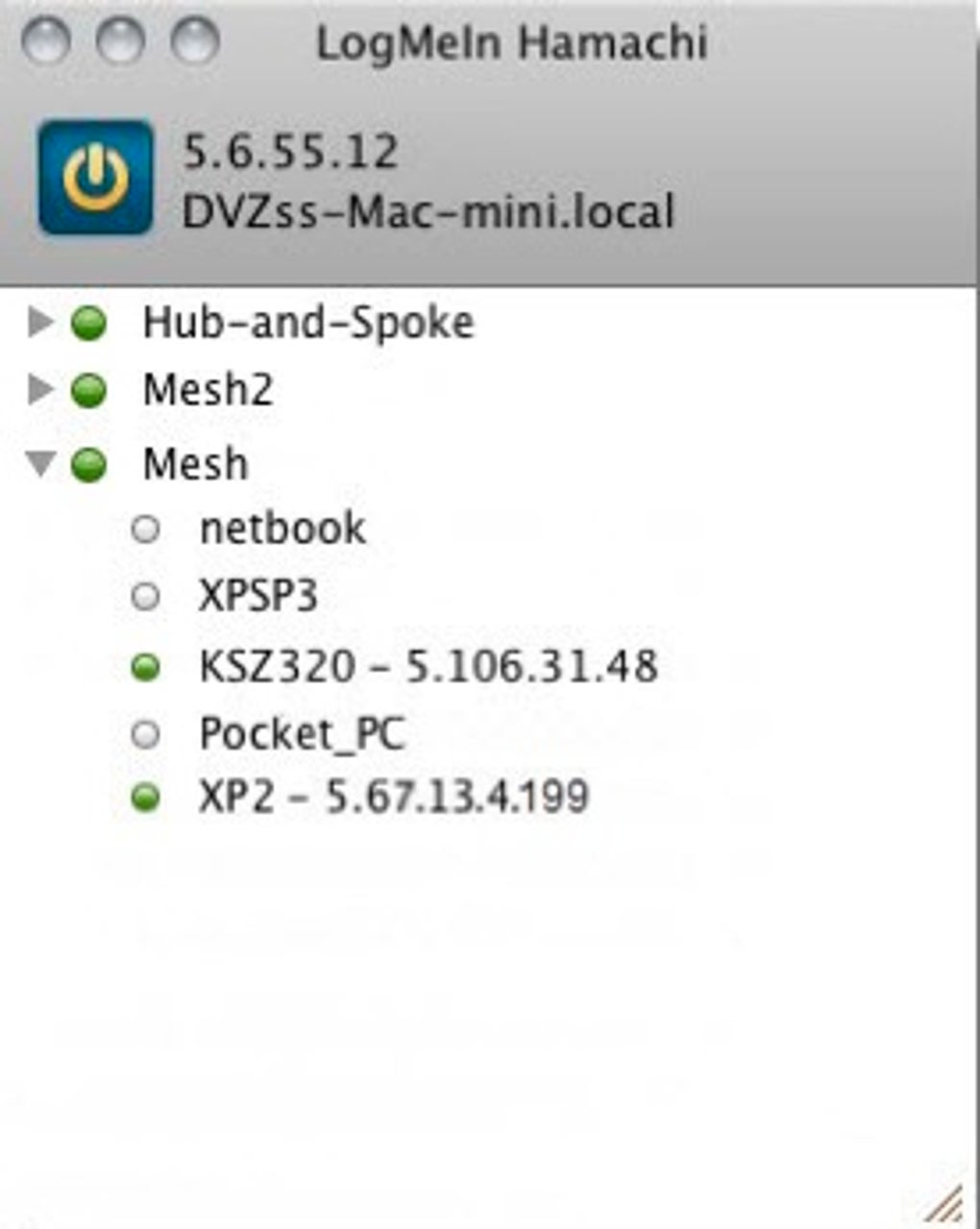
LogMeIn Hamachi creates a virtual LAN over the public internet, allowing two or more computers to communicate as if they were on the same physical network. Upon launch, the software guides you through a quick tutorial that covers network creation, joining existing networks, and basic troubleshooting. The user interface is intentionally minimalistic: a single window shows your network status, a list of connected peers, and quick‑access buttons for chat and file sharing.
The security model relies on 256‑bit AES encryption and a dynamic key exchange that changes each session, rendering any intercepted traffic useless. Hamachi also supports network passwords, so only authorized users can join your private network. While the default configuration works out‑of‑the‑box for most home users, administrators can fine‑tune firewall rules, set up subnet routing, and even integrate with Active Directory for enterprise deployments.
One of the most praised aspects of Hamachi is its ability to bypass NAT and strict firewalls without manual port forwarding. The software uses a combination of UDP hole punching and relay servers maintained by LogMeIn to keep connections alive, which is especially valuable for remote support scenarios where the client’s network may be heavily locked down.
Despite its strengths, Hamachi is not a silver bullet. Users have reported occasional file‑sharing hiccups on macOS due to permission mismatches, and the free tier imposes a limit of five members per network. Nonetheless, the tool’s core promise—secure, private P2P connectivity—remains solid and relevant.
Key Features and Step‑by‑Step Installation
Core Feature List
- End‑to‑end 256‑bit AES encryption for all traffic.
- Instant virtual LAN creation with a single click.
- Cross‑platform support for Windows, macOS, and Linux.
- Built‑in chat client for secure messaging between peers.
- File‑sharing capabilities with drag‑and‑drop support.
- Automatic NAT traversal and firewall bypass.
- Network password protection and optional two‑factor authentication.
- Free tier (up to 5 members) and paid plans for larger teams.
- Detailed logging and diagnostic tools for troubleshooting.
Installation & First‑Time Use
Installing LogMeIn Hamachi is straightforward. Follow these steps to get your private network up and running:
- Download the installer: Visit the official LogMeIn website and select the appropriate installer for your operating system (Windows, macOS, or Linux).
- Run the installer: On Windows, double‑click the
.exefile; on macOS, drag the app to your Applications folder; on Linux, use the provided.debor.rpmpackage with your package manager. - Create a LogMeIn account: If you don’t already have one, the installer will prompt you to register. This account manages your networks and devices.
- Launch Hamachi: After installation, the client opens automatically and displays a brief tutorial. Click “Create a new network” and give it a descriptive name and password.
- Invite peers: Share the network name and password with the computers you wish to connect. They can join by selecting “Join an existing network” and entering the credentials.
- Verify connectivity: Once peers appear in the client’s device list, you can test the connection using the built‑in ping tool or by accessing shared resources (e.g., shared folders).
For advanced users, Hamachi offers command‑line options to script network creation and integrate with batch files or startup scripts, making it ideal for automated deployments in lab environments.
Compatibility, Pros, and Cons
Supported Operating Systems
LogMeIn Hamachi runs on the three major desktop platforms:
- Windows: Windows 10, 11, and Server editions (2016‑2022).
- macOS: macOS 10.13 (High Sierra) and later.
- Linux: Ubuntu, Debian, Fedora, and CentOS via .deb/.rpm packages.
The client is lightweight, consuming less than 30 MB of RAM in idle mode, and it automatically updates to the latest version, ensuring you benefit from security patches without manual intervention.
Pros and Cons
Pros
- Free tier: Ideal for small teams or personal use.
- High security: Strong encryption and optional 2FA protect data.
- Easy NAT traversal: Works behind most firewalls without extra configuration.
- Cross‑platform: Seamless connectivity between Windows, macOS, and Linux.
- Built‑in chat: Enables secure communication without third‑party apps.
Cons
- File‑sharing quirks on macOS: Permissions may require manual adjustment.
- Latency variability: Dependent on internet quality; can be noticeable on slower connections.
- Member limit on free plan: Only five devices per network.
- Limited UI customization: Advanced networking features are hidden behind menus.
- Occasional reliance on relay servers: May affect speed if direct peer connection fails.
Frequently Asked Questions
Is LogMeIn Hamachi free for personal use?
Yes, Hamachi offers a free tier that allows up to five members per virtual network, making it suitable for personal projects, small gaming groups, or occasional remote support.
Can I use Hamachi on mobile devices?
Hamachi currently provides native clients for Windows, macOS, and Linux only. Mobile users can access shared resources via third‑party VPN apps, but there is no official Android or iOS client.
How secure is the encryption used by Hamachi?
Hamachi employs 256‑bit AES encryption for all traffic, along with dynamic key exchange per session. This level of encryption is considered military‑grade and is widely trusted for sensitive data.
What should I do if my peers cannot see each other?
First, verify that both computers are online and logged into the same Hamachi network. Check firewall settings to ensure Hamachi is allowed to communicate. If the issue persists, use Hamachi’s “Repair Network” tool or restart the client to re‑establish NAT traversal.
Can I integrate Hamachi with my existing VPN infrastructure?
Yes, advanced users can configure Hamachi as a secondary tunnel or use its subnet routing feature to bridge between a corporate VPN and a Hamachi network, though this requires manual routing and firewall adjustments.
Final Verdict and How to Get Started
LogMeIn Hamachi remains one of the most accessible tools for establishing a secure, private P2P network without the overhead of traditional VPN appliances. Its free tier, cross‑platform support, and robust encryption make it an attractive option for freelancers, IT support teams, and hobbyists alike. While the macOS file‑sharing quirks and occasional latency spikes can be frustrating, they rarely outweigh the convenience of instant LAN‑style connectivity across the globe.
If you need a quick solution to connect two computers securely—whether to troubleshoot a client, share a folder, or host a private gaming session—Hamachi delivers with minimal configuration. Download the installer today, create your first virtual network, and experience the simplicity of a true peer‑to‑peer VPN.
Ready to secure your remote connections? Download LogMeIn Hamachi now and start building private networks in seconds.







